
Upgrading to a Cloud ERP (Enterprise Resource Planning) system allows small businesses to unify their financials, inventory, sales, and operations into a single, accessible platform without the heavy IT overhead of legacy systems. While costs vary based on features and transaction volume, Acumatica stands out as a premier choice for growing businesses due to its unique consumption-based pricing model meaning you pay for the resources you use, not the number of users you add.
What is a Cloud ERP?
At its core, an Enterprise Resource Planning (ERP) system integrates essential business processes such as accounting, human resources, inventory management, and order fulfillment into one centralized database. Historically, these systems were hosted on-premise, requiring expensive servers, dedicated IT teams, and complex manual upgrades.
Today, a Cloud ERP changes the paradigm by hosting the software on the vendor’s secure servers and delivering it via the internet as a Software as a Service (SaaS). For small and mid-sized businesses (SMBs), this means significantly lower upfront capital expenditures, automatic software updates, enterprise-grade security, and the ability to access critical business data from anywhere in the world. By breaking down data silos, a cloud ERP ensures that every department is working from the same real-time information, drastically reducing errors and improving overall efficiency.
Key Features of Cloud ERP for Small Businesses
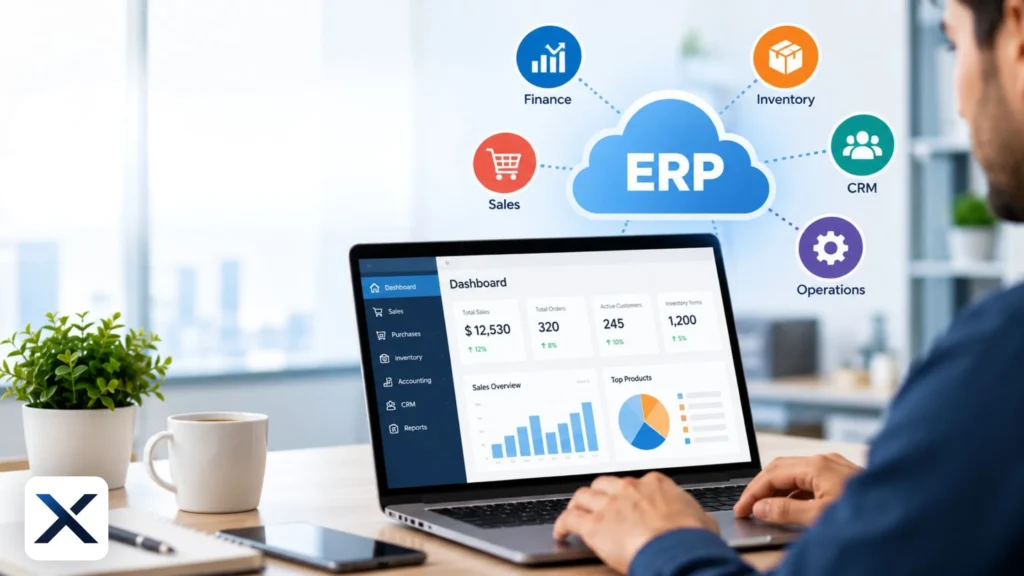
When evaluating a modern cloud ERP, small businesses should look for a unified suite of tools that eliminates the need for disjointed, standalone applications. The most critical features include:
- Core Financials and Accounting: Beyond basic bookkeeping, a robust ERP provides advanced general ledger capabilities, accounts payable and receivable, automated bank reconciliation, fixed asset management, and multi-entity consolidation. This allows finance teams to close the books faster and with greater accuracy.
- Inventory and Order Management: For product-based businesses, real-time tracking of stock levels across multiple warehouses is non-negotiable. Look for features like automated purchase orders, reorder point alerts, barcode scanning integration, and seamless order-to-cash workflows.
- Customer Relationship Management (CRM): A built-in CRM ensures that sales, marketing, and customer service teams have access to the exact same customer data, order history, and financial standing as the accounting department. This 360-degree view improves customer satisfaction and retention.
- Reporting and Dashboards: Data is only useful if you can understand it. Role-based, real-time dashboards allow non-accountants and executives to monitor Key Performance Indicators (KPIs), track profitability, and make data-driven decisions instantly without waiting for end-of-month reports.
- Scalability and Integration: The system should easily integrate with third-party applications (like eCommerce platforms, specialized payroll software, or marketing automation tools) through open APIs, ensuring the software grows alongside your business.
How Much Does Cloud ERP Cost for Small Businesses?
Budgeting for a cloud ERP involves looking beyond the initial software subscription. The Total Cost of Ownership (TCO) typically includes licensing, implementation, training, and ongoing support.
For small businesses, cloud ERP costs generally fall into these three categories:
- Software Licensing: Most traditional ERP vendors charge a per user, per month fee, which can range from $70 to $200+ per user depending on their access level. However, modern ERPs are shifting toward resource-based pricing to accommodate growth.
- Implementation Fees: Setting up the system, migrating historical data, customizing reports, and configuring workflows requires specialized expertise. Implementation costs often range from $20,000 to $75,000+ depending on the complexity of your operations and the partner you choose.
- Ongoing Support and Maintenance: While SaaS models include hosting and updates, premium support or ongoing consulting can add 15% to 20% of your annual software costs.
On average, a small business might spend between $30,000 and $80,000 in the first year for a comprehensive cloud ERP deployment. To ensure a smooth transition, avoid cost overruns, and maximize ROI, many companies partner with specialized cloud technology consultants like Exura Cloud to guide their implementation strategy and system architecture.
Why Choose Acumatica Cloud ERP?
While there are many players in the SMB market such as NetSuite, Sage Intacct, and Microsoft Dynamics Acumatica has rapidly become a favorite for growing companies. Here is why Acumatica Cloud ERP Software is highly recommended for small businesses looking to scale:
1. Unlimited User Pricing Model
The most significant advantage of Acumatica is its consumption based pricing. Instead of penalizing growth by charging for every new employee who needs system access, Acumatica charges based on the computing resources and transaction volume your business consumes. This unlimited user model fosters company wide collaboration, allowing everyone from warehouse workers to the CEO to access the system without incurring extra licensing fees. You can view the specifics of the Acumatica Pricing Structure to see how it aligns with your specific transaction volume and business size.
2. Tailored Industry Editions
Acumatica doesn’t force a generic, one-size-fits-all solution onto its customers. They offer specialized editions built with industry specific best practices out of the box, including:
- Manufacturing Edition: Includes bill of materials (BOM), material requirements planning (MRP), production management, and shop floor control.
- Distribution Edition: Features advanced warehouse management, lot and serial tracking, automated purchasing, and matrix items.
- Construction Edition: Offers robust project accounting, compliance management, subcontractor management, and job costing.
- Retail/eCommerce Edition: Seamlessly connects your online storefronts (like Shopify or BigCommerce) directly to your back office financials and inventory.
3. True Cloud Architecture and Mobility
Built entirely for the cloud from day one, Acumatica provides a responsive, intuitive interface that works seamlessly on any device with a web browser. Whether your sales team is in the field using a smartphone, your warehouse staff is using a ruggedized tablet, or your executives are working from home, the user experience remains consistent, secure, and fast.
4. You Own Your Data
Unlike some SaaS providers that make it difficult to extract your data if you decide to leave or change systems, Acumatica guarantees that you own your data. You can choose to deploy via their fully managed SaaS environment (hosted on Amazon Web Services), in a private cloud, or even on-premise, giving you ultimate control over your IT infrastructure and data sovereignty.
Frequently Asked Questions (FAQ)
While micro businesses and startups can survive on basic accounting software like QuickBooks or Xero, growing small businesses eventually hit a “software ceiling.” If you are relying on manual data entry across multiple disconnected spreadsheets, struggling with inventory stockouts, or spending days closing your monthly books, it is time to upgrade to a unified ERP system.
A standard cloud ERP implementation for a small business typically takes between 3 to 6 months. The timeline depends heavily on data cleanliness, the complexity of your business processes, the number of third-party integrations required, and the responsiveness of your internal project team.
Entry-level software focuses primarily on basic bookkeeping, invoicing, and tax compliance. Acumatica, on the other hand, is a comprehensive business management suite that handles complex inventory, multi entity financials, CRM, field service, and project management in a single unified database, designed to scale infinitely as your business grows.
Yes. Leading cloud ERP providers invest heavily in enterprise grade security, including end to end encryption, multi factor authentication (MFA), automated threat detection, and routine disaster recovery backups. For most small businesses, a cloud ERP is significantly more secure than maintaining an on premise server.